
Evaluating GPT‑5.6 Luna Pro on Hack The Box Challenges
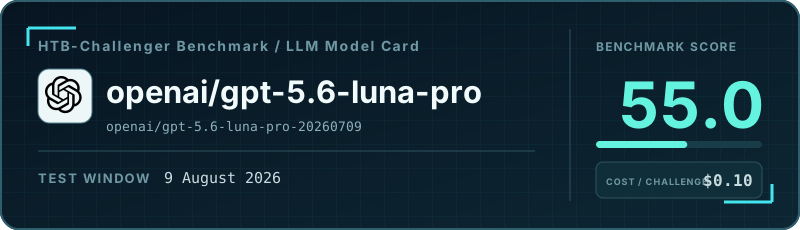
What the heck is GPT-5.6 Luna Pro, I hear you asking. That’s a very good question! To answer it, let me quote its description on OpenRouter.ai: “GPT-5.6 Luna Pro is the same underlying model as GPT-5.6 Luna, served with reasoning.mode set to pro for higher-quality responses on complex tasks.”
Okay, so how much better, and how much more expensive, is it compared with GPT-5.6 Luna, I hear you asking now. And that’s exactly what I can tell you.
This blog post is part of a series of tests for the HTB-Challenger BenchmarkThe HTB-Challenger Benchmark evaluates LLMs’ ability to find and exploit security vulnerabilities. It tests models against selected Hack The Box challenges of varying difficulty and measures their performance. For more information, visit the HTB-Challenger Benchmark page. . See the benchmark results page for all results and the benchmark methodology to learn how the benchmark is calculated.

I tested GPT-5.6 Luna in my previous post, so I have the numbers ready. In a nutshell:
- Luna Pro is approximately five times more expensive than Luna. It may sound dramatic, but Luna is such a cheap model that Luna Pro is still very cheap.
- In this benchmark run, Luna Pro performed much better than Luna. If you look below at the results for the more difficult challenges, you can see that Luna Pro solved some Medium and Hard challenges, while Luna solved only one Medium challenge and no Hard challenges.
I believe the main use case for Luna Pro is if you are tied to the OpenAI ecosystem and need a model for offensive-security or CTF-style tasks. In my tests, GPT-5.6 Terra and GPT-5.6 Sol refused to respond to most offensive-security requests, so GPT-5.6 Luna Pro was the most useful OpenAI option for this kind of work.
Update (17 August 2026): I have since solved the refusal issue with GPT-5.6 Terra and Sol by joining OpenAI’s Trusted Access for Cyber program. You can read about the solution and see my test results for the full GPT-5.6 family.
Cost vs. Benchmark Score
The highlighted point is this model. Models closer to the upper-left achieve a higher benchmark score at a lower median cost per challenge.
Overall benchmark results
- Number of challenges: 16
- Number of solved challenges: 11
- Number of false positives: 0
- Runs where the model gave up: 4
- Runs that reached the step or cost limit: 1
- Runs where the model got stuck: 0
- Benchmark score: 51.3%
| Metric | Per challenge (median) | Total |
|---|---|---|
| Model steps | 21.5 | 554 |
| Model cost | $0.10 | $3.05 |
| Duration | 00:08:55 | 03:48:35 |
| Number of input tokens | 1.50M | 42.93M |
| Number of output tokens | 0.07M | 1.63M |
Number of read_file tool calls |
4.0 | 186 |
Number of write_file tool calls |
0.0 | 18 |
Number of execute_command tool calls |
36.5 | 865 |
Number of web_search tool calls |
0.0 | 3 |
Results by challenge difficulty
All resource-usage metrics are medians per challenge.
| Metric | Very Easy | Easy | Medium | Hard |
|---|---|---|---|---|
| Results | ||||
| Number of challenges | 4 | 4 | 4 | 4 |
| Number of solved challenges | 4 | 4 | 2 | 1 |
| Number of false positives | 0 | 0 | 0 | 0 |
| Runs where the model gave up | 0 | 0 | 2 | 2 |
| Runs that reached the step or cost limit | 0 | 0 | 0 | 1 |
| Runs where the model got stuck | 0 | 0 | 0 | 0 |
| Benchmark score | 98.4% | 95.5% | 47.1% | 20.5% |
| Median per challenge | ||||
| Model steps | 6 | 21.5 | 33 | 73.5 |
| Model cost | $0.01 | $0.09 | $0.16 | $0.45 |
| Duration | 00:01:43 | 00:08:46 | 00:13:37 | 00:28:35 |
| Number of input tokens | 0.16M | 1.38M | 2.30M | 6.36M |
| Number of output tokens | 0.01M | 0.06M | 0.10M | 0.22M |
Number of read_file tool calls |
0.5 | 1.5 | 8.5 | 16.5 |
Number of write_file tool calls |
0.0 | 0.0 | 0.5 | 2.5 |
Number of execute_command tool calls |
6.0 | 26.5 | 47.5 | 121.0 |
Number of web_search tool calls |
0.0 | 0.5 | 0.0 | 0.0 |